TweakThis

Clients circle it.Your agent fixes it.Signed off.

A website feedback tool for anyone who looks after several websites, their clients’ or their own. A client points at what should change on their site, and you hear about it at once. Claude Code or Codex fetches the note over MCP, with selectors, a DOM excerpt and a screenshot, and makes the change, or you fix it by hand. Then the client signs it off.

Browser extension and MCP server. Free plan, no card needed.

How it works

Three moments, one note.

  1. Client circles it

    They click the thing on their own site and say what should change.

  2. Your agent fixes it

    Claude Code or Codex reads the note with page context and changes the code. Or fix it yourself and mark it ready for review.

  3. Client signs off

    The fix comes back for review. Accept it, or reopen it with a note.

See it on a real page
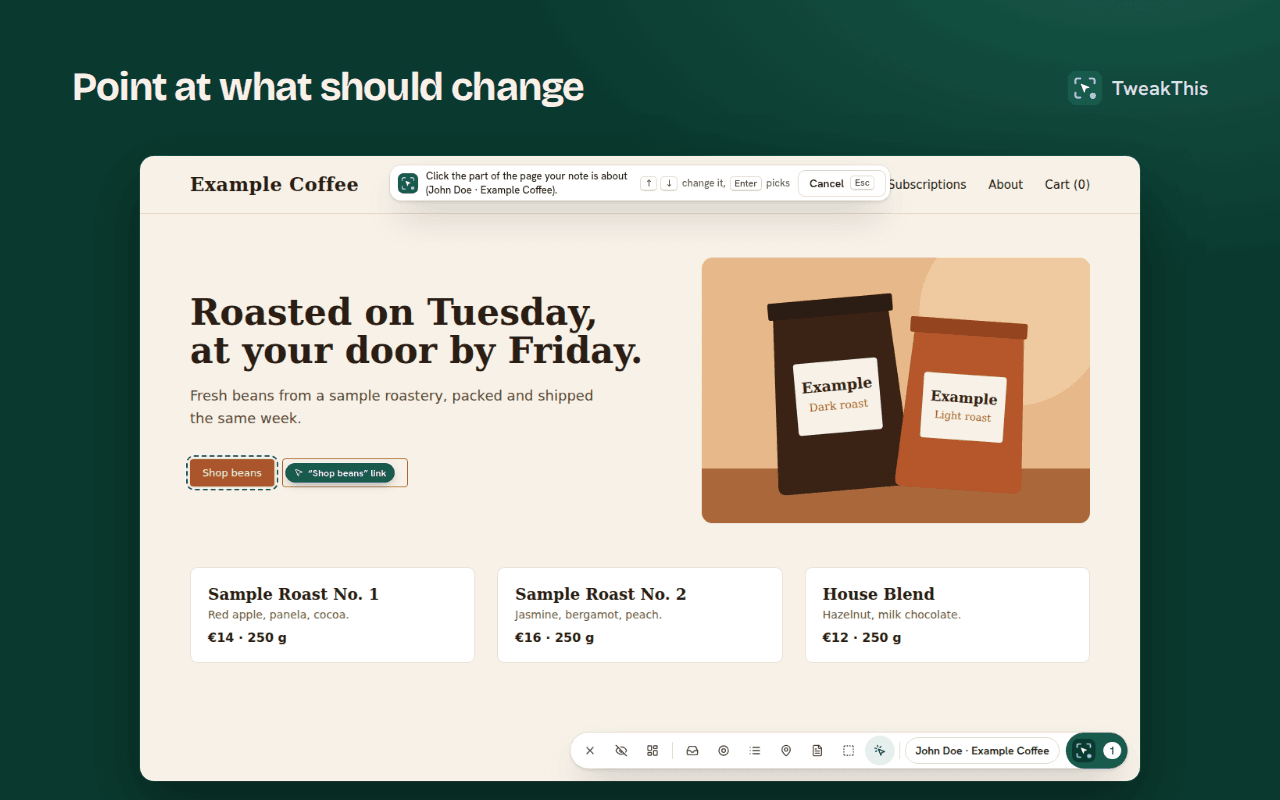
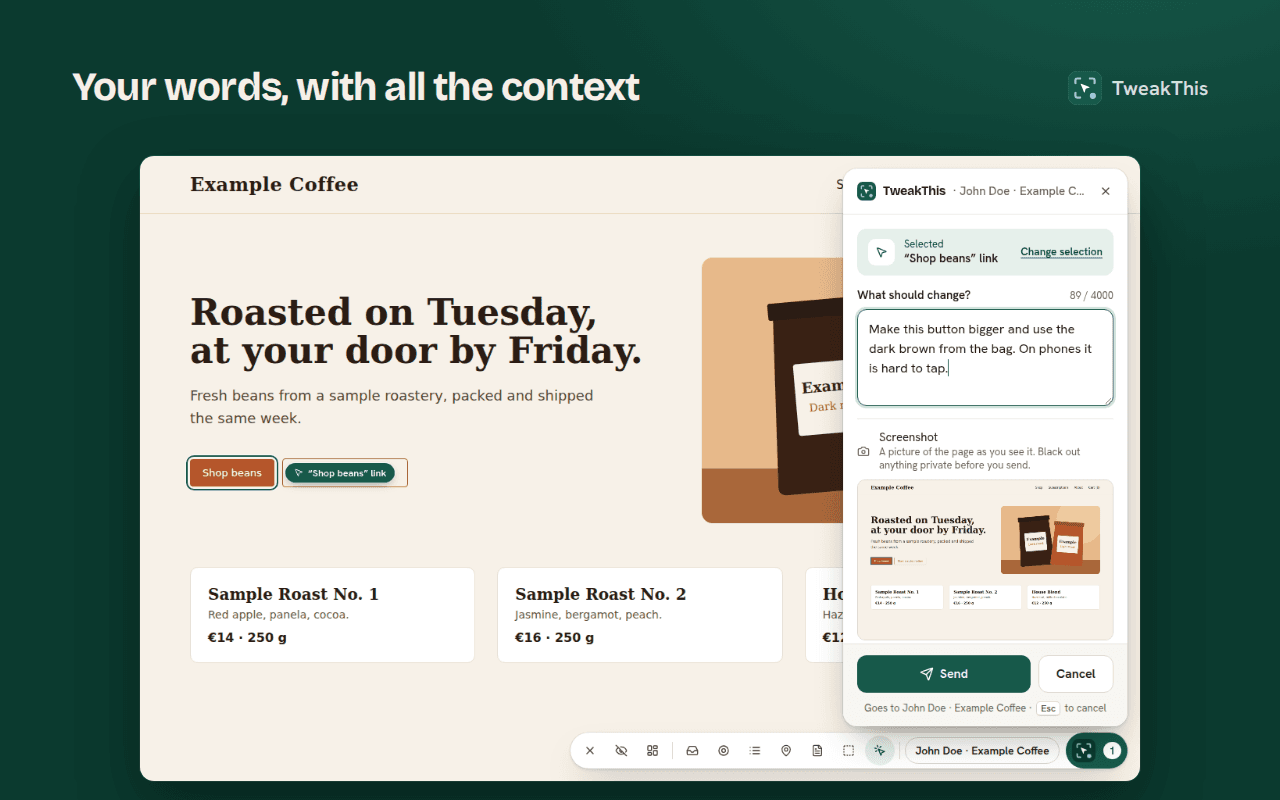
  • The TweakThis picker outlining the Shop beans button on a sample coffee shop.
  • The TweakThis panel with a note asking for a bigger button, and a screenshot of the page.
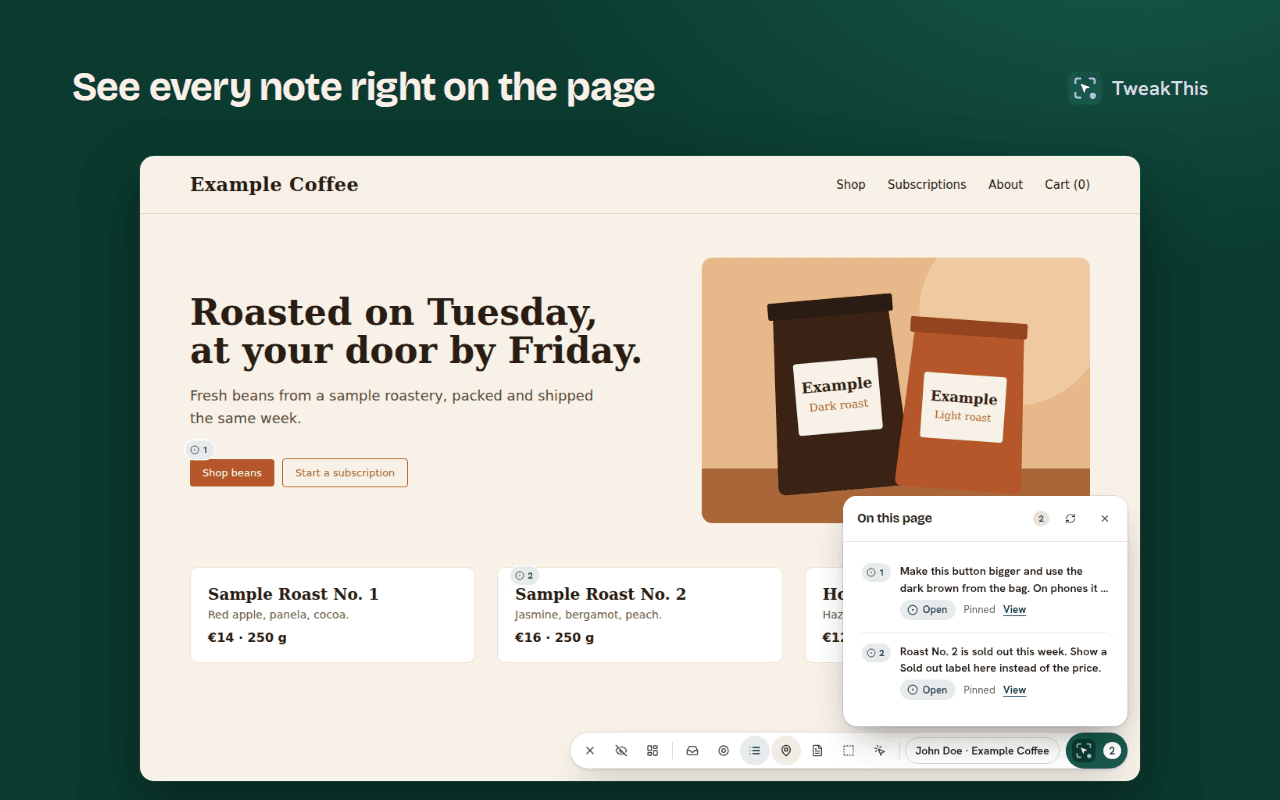
  • Two numbered pins on the sample shop and a list of the notes left on the page.
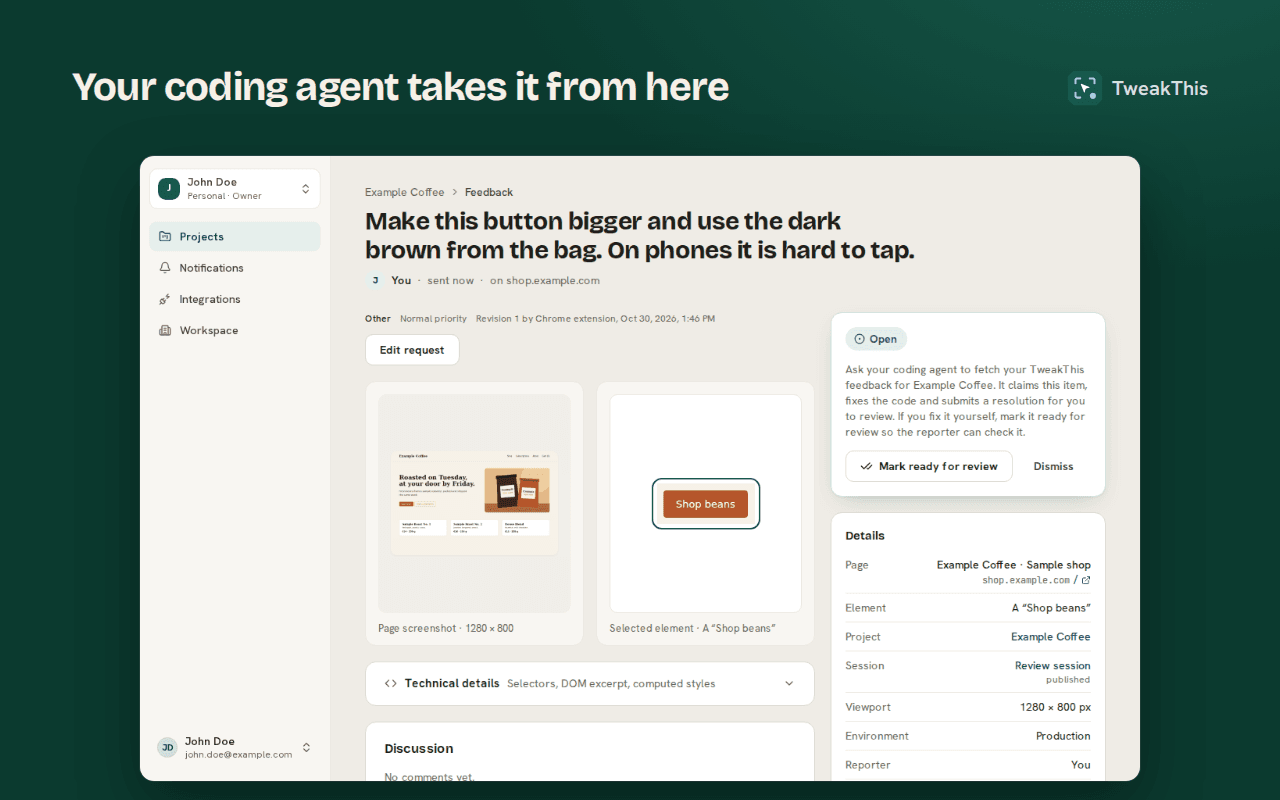
  • A feedback item in the TweakThis dashboard, with its screenshot, element and details.

Run it from your agent

Install the extension and connect Claude Code or Codex, and almost everything else can happen from your terminal. A few steps stay with people, on purpose.

What still needs a person

  • Leaving the feedback: you or your client, in the browser with the extension
  • Approving the agent’s access, and ticking the permissions to manage projects and invite people
  • Answering its questions, and accepting or reopening each fix
  • Choosing and paying for a plan

Setting up projects and inviting people need an agent signed in with OAuth; a personal access token works through feedback only. An agent you connected earlier is not offered these permissions: revoke it under Integrations → Connected apps and connect it again.

  1. 1

    Set up the project

    Ask for a project for this repository. The agent reads the git remote and the dev server’s port and, once you agree, creates the project with its URL rules.

  2. 2

    Invite the client

    It emails the client an invitation, or makes a reporter link for you to share. Every invitation it sends shows up in your notifications, where you can revoke it.

  3. 3

    Wait for their feedback

    Tell it to keep going. It waits for new items, answers to its questions and reopened fixes, and picks each one up within seconds.

  4. 4

    Fix it and report back

    It claims the item, changes the code, asks if something is unclear, and submits what it changed and how it checked it.

What an agent can do

Simple pricing

Start free, with 3 client reporters. Upgrade when you need more.

Free
Try the whole loop on one of your apps. No card needed.

Free

  • 3 reporters
  • 1 active project
  • 20 feedback items a month
  • 100 agent reads a month
  • 250 MiB of screenshots, kept 30 days
ProRecommended
For a developer who reviews their apps with an agent every day.

€15per month, excl. VAT

  • 10 reporters
  • 50 active projects
  • 1,000 feedback items a month
  • 10,000 agent reads a month
  • 8 GiB of screenshots, kept 180 days
Team
For a small team sharing projects and feedback, with free reporters.

€49per month, excl. VAT

3 seats included, +€12 a month per extra seat

  • 3 seats
  • Unlimited reporters
  • Unlimited active projects
  • 3,000 feedback items a month
  • 30,000 agent reads a month
  • 25 GiB of screenshots, kept 180 days
  • Each extra seat adds 1,000 items, 10,000 reads and 8 GiB
Compare plans

Questions

Anyone who looks after several websites: a freelancer or a studio with clients, or a developer reviewing their own apps. Each site is a project; clients report on theirs, and you or your agent fix what they ask for.

No. You can read, assign, discuss and close every item in the dashboard. Fix it by hand and mark it ready for review with a note, and the client is asked to check it, as after an agent’s fix. With Claude Code or Codex connected, the agent does the fixing.

Chrome or Firefox on a desktop computer, the TweakThis extension, and an email address to sign in with. They see only the projects you invite them to, and never need to talk to an agent.

Claude Code and Codex, connected to the TweakThis MCP server: sign in from the agent, or use a personal access token from the Integrations page. Any agent that speaks MCP over HTTP can use the same tools.

Almost. Once you install the extension and connect Claude Code or Codex, the agent can wait for your client’s feedback and fix it and, signed in with OAuth, also set up a project for the repository and invite the client. A person still leaves the feedback in the browser, approves the agent’s access and the permissions to manage projects and invite people, answers its questions, accepts or reopens each fix, and pays for a plan. An agent you connected earlier is not offered those permissions: revoke it under Integrations → Connected apps and connect it again.

Chrome and Firefox on desktop. Safari is planned; other Chromium browsers may work but are not tested.

Only what the reporter points at, on sites added to a project: the page URL and title, the element or region with its selectors, a short DOM excerpt, a few computed styles and a screenshot they can redact first. It never reads form input values.

Yes. The Free plan needs no card. Upgrade from the billing page whenever you are ready.

Open Billing, choose "Manage billing" and cancel in the Stripe Customer Portal. Paid features stay on until the end of the period you paid for.

Yes. Yearly plans cost about 20% less than paying monthly. Switch on the pricing page.

Businesses, freelancers included. Paid plans are for business use only, so the consumer 14-day withdrawal right does not apply.

No. Checkout adds VAT where it applies. Enter your VAT number there and an EU business outside Denmark pays no VAT (reverse charge); your invoices show it.

Your account, feedback and screenshots are stored in the EU. You can delete your account and its data at any time from the account page; billing records stay as long as bookkeeping law requires.