Introducing TweakThis: point at your app, and your agent fixes it
TweakThis is a browser extension and an MCP server. You, or a client, point at something on a web page and say what should change. Claude Code or Codex gets the note with the page, the element and a screenshot, fixes it in your repository and reports back.
Announcement · Last updated 2026-11-02
The problem: the context gets lost on the way
You notice something on your app: the button on the product page is too small on a phone. Fixing it is a one-line change. Getting your coding agent to make that change takes longer than it should.
You switch to the terminal and describe the page. You say which button you mean, in words. You take a screenshot, save it, and drag it in. The agent then searches the repository for the text it can see, and with luck picks the right component, not the one that looks the same on another page.
With a client it gets worse. Feedback arrives as an email with a screenshot of the wrong page, or a comment on a shared document, or a call. You turn it into a task, then into a prompt. By the time it reaches the agent, most of what the client was looking at has gone.
The agent is good at the fix. What it lacks is what the person saw.
What TweakThis does
You point at the element instead of describing it.
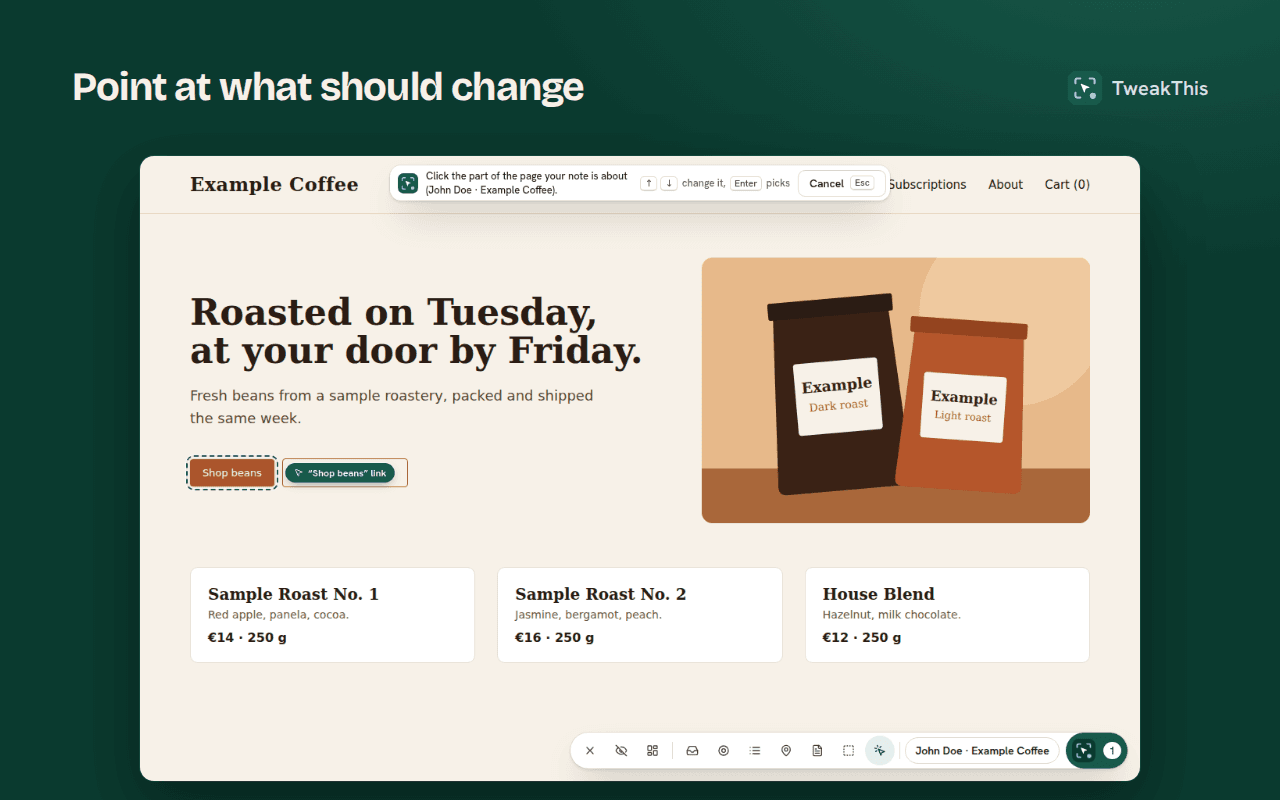
Open the extension on your site, pick the element or draw around a region, and write what should change, in your own words.
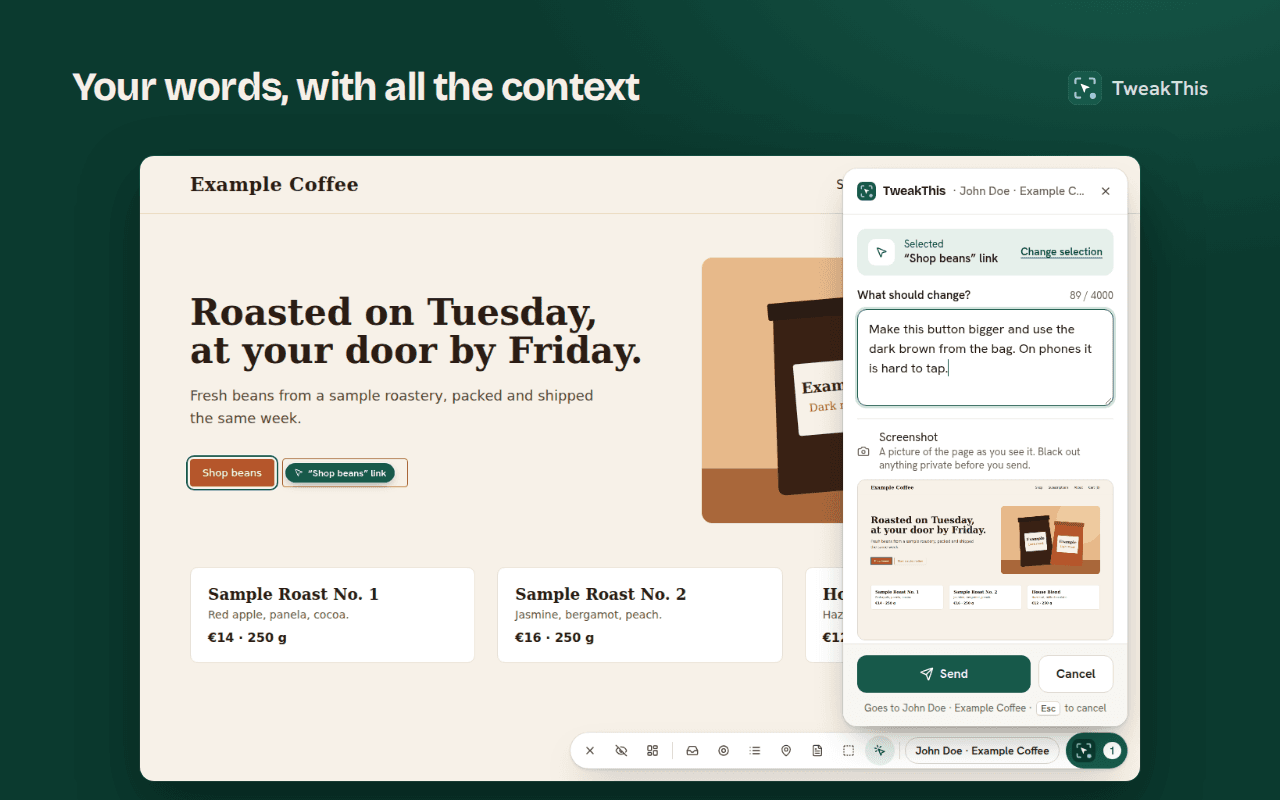
Send it, and TweakThis attaches what a developer would otherwise have to ask for:
- the page address and title, the viewport and the device pixel ratio;
- several selectors for the element, a short excerpt of its HTML, its attributes and a few computed styles;
- a screenshot of the page and a crop of the element, with anything you blacked out removed.
Nothing is added to your site: there is no script to embed. The extension works on any page you tell it about, including localhost, previews and production. The full list is on what the extension captures.
How your coding agent resolves it
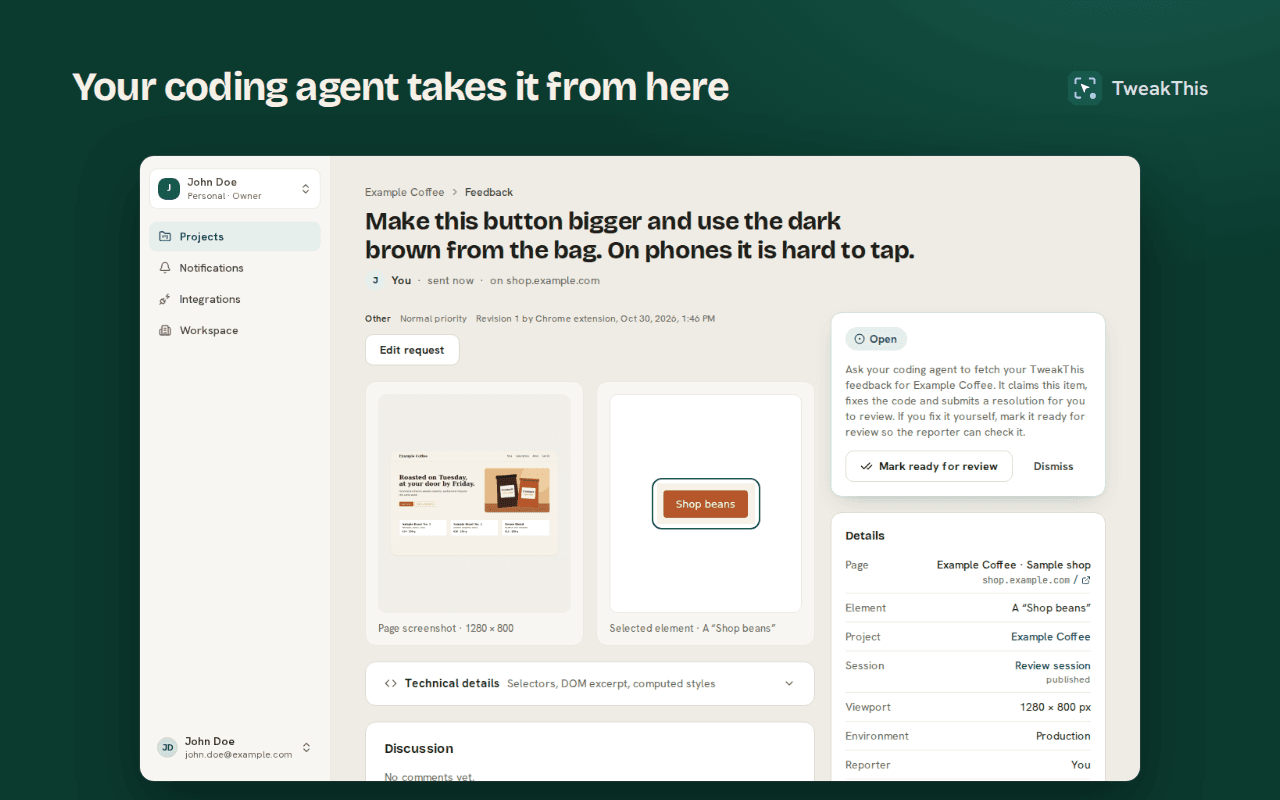
TweakThis runs a hosted MCP server at https://tweakthis.io/mcp. You add it to Claude Code or Codex once and sign in with OAuth, or use a personal access token. Then you ask the agent to work through the feedback. Each project page has a prompt to copy, with the project’s ID filled in:
Use the TweakThis MCP server to work through feedback on the project "Example Coffee" (project ID <project-id>).
Only use this project ID; never choose a project by its name. Before editing, check that you are working in the code of the app served at https://shop.example.com/; if you are not, stop and ask me.

1. Call list_feedback with project_id "<project-id>" and status "open".
2. For each item, call get_feedback and use the note, expected and actual result, screenshot, selectors and page context to find the element in the code.
3. Make the change. If something is unclear, ask with add_comment instead of guessing.
4. Call submit_resolution with a short summary of what you changed and how you checked it. I review and accept it in the dashboard.
For each item, the agent:
- reads the note, the page context and the selectors, and fetches the screenshot when it needs to see it;
- claims the item, so a second agent or a teammate does not work on it at the same time;
- asks one question if the request is unclear, and the item waits until you answer;
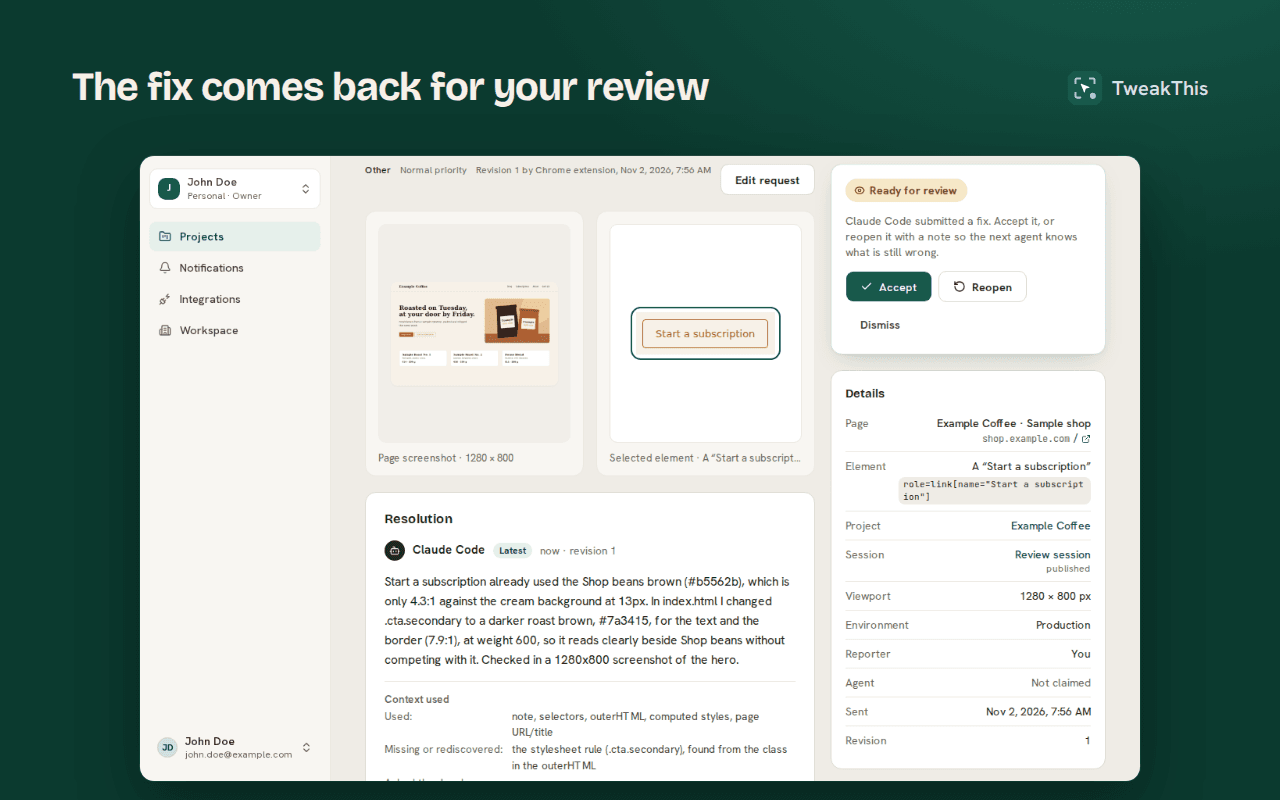
- fixes the code, and submits a resolution: what it changed and how it checked it.
The item moves to ready for review. You, or the client who reported it, accept it or reopen it with a note. The agent can never accept its own work. Here Claude Code has resolved another note on the sample shop, a Start a subscription button that was hard to read:
Setup takes a few minutes: see the guides for Claude Code and Codex. Any other agent that speaks MCP over Streamable HTTP can use the same tools with a personal access token; the MCP server page lists them.
Clients can report too
The person who notices the problem is often not the developer. Invite a client to a project with an emailed invitation or a link. They install the same extension, sign in with their email address, and report on their own site. Reporters take no seat and pay nothing.
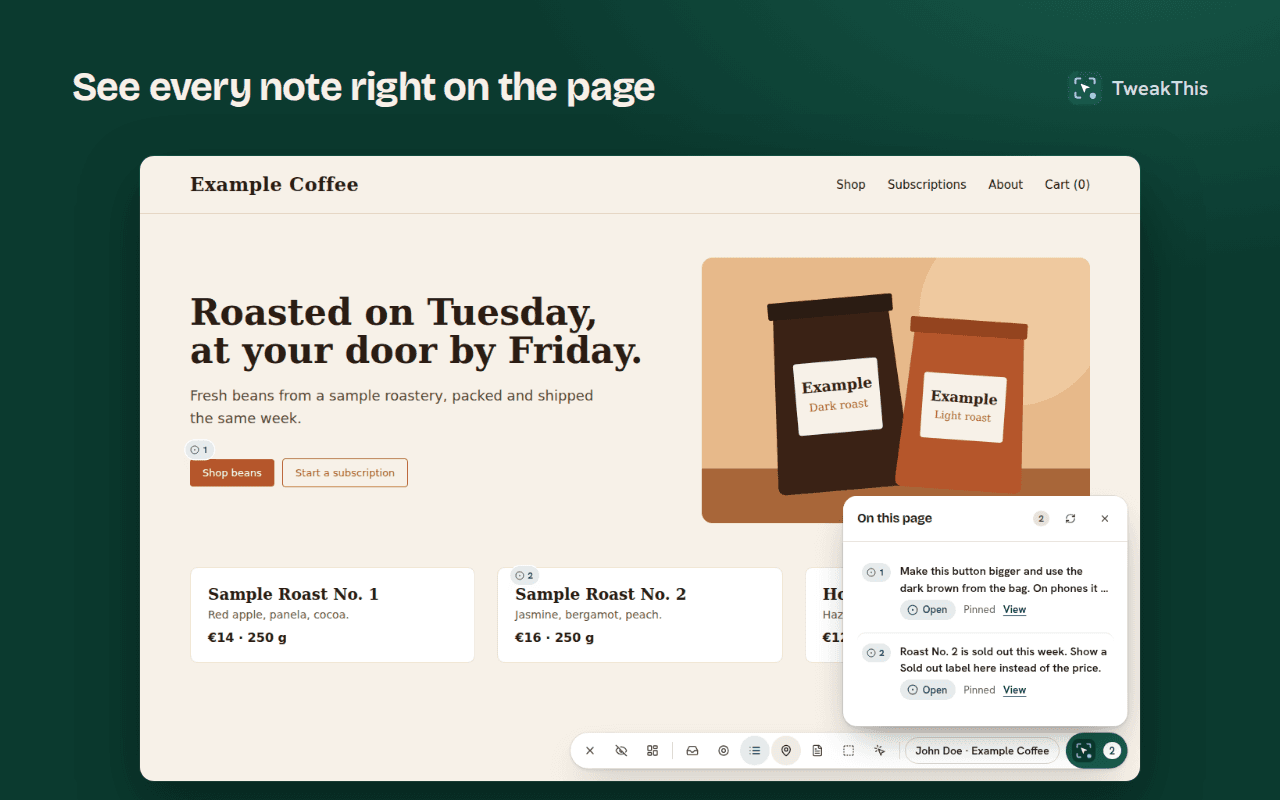
They see their notes pinned on the page, and they sign off the fix when it comes back. Every request for a site is in one place in the dashboard, whoever sent it. Reporter links explains how inviting works.
We built TweakThis with TweakThis
The first real item went through the loop on 26 September 2026. On TweakThis’s own dashboard, we picked the logo and asked for a different mark. Claude Code fetched the item, changed the two files, and submitted its resolution about ten minutes after the note was sent.
The next four items were on our landing page: the hero, the features, the pricing and the footer. Claude Code fixed each one, each fix was merged as a pull request, and no item was reopened. Some notes were as vague as “more fun somehow”. The agent picked a direction, and we reviewed it like any other change.
What we learned from those five: the agent found the right source file each time. Where the element had an id, or its selector named a parent such as the footer, that led to the file; otherwise it searched the repository for text it saw in the capture. It never used the computed styles of those large sections. The screenshot mattered most when the note pointed at a region, not an element, because then the image was its only view of the page.
What it does not do
- It does not guess source files from the page. The agent finds the file in your repository, from the text, selectors and HTML it was sent.
- It does not merge or deploy. The agent changes the code in your repository; how that ships is up to you.
- It never reads what is typed into form fields. The screenshot shows the page as it looks, with card details, one-time codes and passwords covered (best effort), and you can black out anything else before you send (how redaction works).
- It does not run on phones or in Safari yet: the extension is for Chrome and Firefox on desktop.
Data is stored in the EU. The privacy policy lists every service that holds any of it.
Try it
- Create an account and a project for your site.
- Install the extension in Chrome or Firefox on desktop, and sign in.
- Connect Claude Code or Codex, point at something, and ask the agent to fix it.
The free plan needs no card: 3 reporters, 1 active project, 20 feedback items a month, enough to try the whole loop. Pricing has the paid plans. Questions or feedback on TweakThis itself: support@tweakthis.io.